


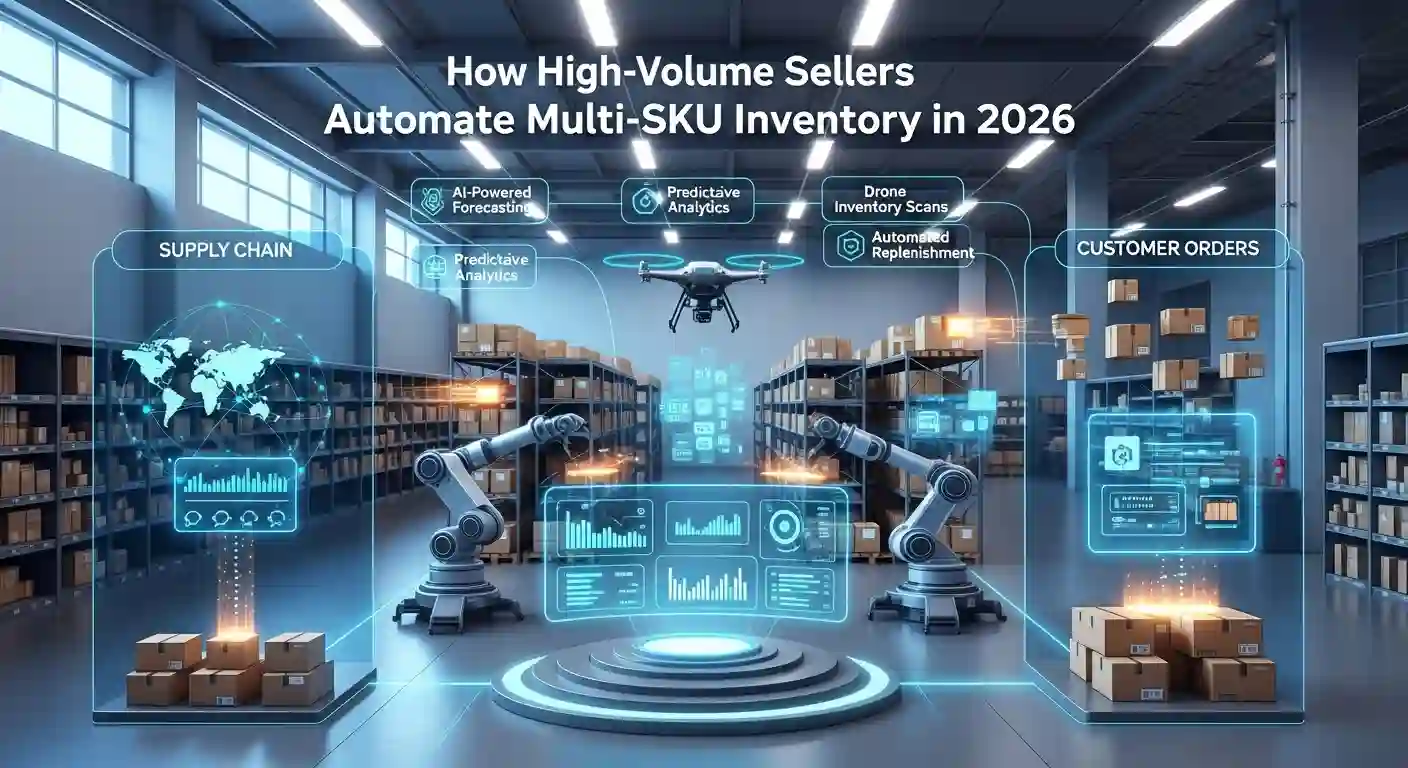
Managing 10 SKUs manually? Doable. Managing 100 SKUs? Challenging. Managing 500+ SKUs? Impossible without automation.
Yet thousands of high-volume Amazon sellers successfully manage thousands of SKUs across multiple warehouses, marketplaces, and sales channels, without losing their minds or going bankrupt from inventory mistakes.
The difference between sellers drowning in spreadsheets and sellers scaling effortlessly comes down to one thing: smart inventory automation.
Let me show you exactly how high-volume sellers automate multi-SKU inventory management, what tools they use, and how you can implement these systems even if you’re not there yet.
Why Multi-SKU Inventory Management Is So Challenging
Before we talk about solutions, let’s understand why managing multiple SKUs is exponentially harder than managing a few products.
The Complexity Multiplier Effect:
With 10 SKUs, you track 10 reorder points, 10 supplier relationships, and 10 sets of sales data. Manageable in a spreadsheet.
With 500 SKUs, you’re tracking 500 reorder points, potentially 50+ suppliers, seasonal variations across hundreds of products, and performance data that changes daily. Spreadsheets break. Humans make mistakes. Money gets lost.
Common Multi-SKU Challenges:
Stockouts: Running out of fast-moving products while slow movers sit in warehouses. Overstock: Tying up capital in inventory that won’t sell for months
Dead Inventory: Products that stop selling entirely, eating storage fees.
Reorder Timing: Knowing when to reorder each SKU based on lead times.
Cash Flow: Balancing inventory investment across hundreds of products.
Supplier Coordination: Managing orders from multiple suppliers simultaneously. Marketplace Syncing: Keeping inventory accurate across Amazon, Shopify, eBay, etc.
Each problem compounds as you add more SKUs. Automation solves this by handling the complexity humans can’t.
How Can High-Volume Sellers Automate Inventory?

Let’s break down the specific automation strategies that successful high-volume sellers implement.
Automated Demand Forecasting
The foundation of inventory automation is predicting future demand accurately for each SKU.
How It Works:
Advanced inventory systems analyze:
- Historical sales data (daily, weekly, seasonal patterns)
- Trending indicators (sales velocity changes)
- External factors (holidays, promotions, market trends)
- Marketplace-specific behavior (Amazon Prime Day, Black Friday)
The system generates demand forecasts for each SKU, typically 30-90 days out, with confidence intervals.
Practical Example:
Your yoga mat (SKU-001) historically sells 50 units daily. The system detects:
- January spike (New Year’s resolutions)
- 15% growth trend over the past 3 months
- Prime Day is approaching in 2 weeks
Forecast: Order 2,500 units to cover increased demand through February, accounting for growth and Prime Day spike.
Manual Alternative: Guessing based on last year’s sales and hoping you’re close. Usually results in stockouts or overstock.
Automated Reorder Point Triggers
Once you know demand, automation determines exactly when to reorder each SKU.
Reorder Point Formula:
Reorder Point = (Daily Sales × Lead Time) + Safety Stock
But here’s where automation shines: it calculates this dynamically for each SKU based on:
- Current sales velocity (not historical averages)
- Actual supplier lead times (accounting for delays)
- Seasonal adjustments
- Risk tolerance settings
Automated Trigger Example:
Your resistance bands (SKU-045) hit the reorder point of 300 units. The system:
- Automatically generates a purchase order
- Sends to the supplier via API or email
- Tracks the expected arrival date
- Updates cash flow projections
- Notifies you only if intervention is needed
Time Saved: Instead of checking 500 SKUs daily, you review exceptions only.
Automated Purchase Order Generation
High-volume sellers automate the entire PO creation process.
What Gets Automated:
Order Quantity Calculation: Based on demand forecast, current inventory, and inbound shipments.
Supplier Selection: Choosing between multiple suppliers based on price, lead time, and MOQ.
PO Document Creation: Generating formatted purchase orders with all required details. Supplier Communication: Sending POs automatically via email or EDI
Confirmation Tracking: Following up on order acknowledgments.
Payment Scheduling: Planning cash flow for PO payments
Advanced Systems even negotiates pricing automatically within pre-set parameters or switches suppliers if the primary is unavailable.
Automated Inventory Distribution
For sellers using multiple warehouses or FBA centers, automation handles distribution decisions.
Distribution Logic:
The system determines:
- How much inventory to sent to each warehouse
- Which products ship together for cost efficiency
- Optimal timing to avoid long-term storage fees
- Regional demand differences
Example Scenario:
You have 5,000 units of a kitchen gadget (SKU-078) arriving from China. The system:
- Sends 2,000 units to East Coast FBA (high demand region)
- Sends 1,500 units to West Coast FBA (moderate demand)
- Sends 1,000 units to 3PL warehouse (backup inventory)
- Keeps 500 units for FBM orders
All calculated based on regional sales data, storage costs, and inbound placement fees.
Automated Multi-Channel Syncing
If you sell on Amazon, eBay, Shopify, and Walmart, inventory must stay synced in real-time.
What Automation Handles:
Real-Time Updates: Sale on Amazon instantly updates inventory across all channels.
Buffer Management: Reserves inventory to prevent overselling.
Allocation Rules: Prioritizes channels based on profitability or strategy.
Automatic Listing: Pauses listings when inventory runs low.
Reactivation: Relists automatically when inventory is replenished.
Without Automation: You manually update inventory on 4 platforms after every sale, inevitably causing oversells and angry customers.
What Are the Best Practices for Multi-SKU Automation?
Automation is powerful, but only if implemented correctly. Here are proven best practices.
Start with SKU Segmentation
Not all SKUs need the same level of automation or attention. Segment them:
A SKUs (Top 20% of Revenue):
- Most critical products
- Tightest inventory controls
- Daily monitoring
- Highest automation priority
B SKUs (Middle 30% of Revenue):
- Important but less critical
- Weekly monitoring
- Standard automation
C SKUs (Bottom 50% of Revenue):
- Low priority individually
- Monthly monitoring
- Basic automation only
Action Step: Use ABC analysis to identify which SKUs deserve premium inventory management.
Set Safety Stock Based on Risk
Safety stock prevents stockouts, but too much ties up capital unnecessarily.
Safety Stock Calculation Factors:
- Demand variability (stable vs. unpredictable sales)
- Lead time variability (reliable vs. unreliable suppliers)
- Stockout cost (high-margin products need more safety stock)
- Storage cost (low-value items need less safety stock)
Best Practice: Higher safety stock for A SKUs with unpredictable demand. Lower safety stock for C SKUs with stable sales.
Implement Automated Alerts, Not Just Actions
While automation handles routine decisions, humans should be notified of exceptions.
Critical Alerts to Configure:
- SKU approaching stockout with no PO in transit
- Inventory aging beyond 180 days (dead stock risk)
- Sales velocity change exceeding 30% (up or down)
- Supplier delays are affecting stock levels
- Cash flow required for the upcoming POs exceeding the threshold
Best Practice: Set alert thresholds that require human judgment, not every small fluctuation.
Use Dynamic Lead Times
Most sellers use static lead times (e.g., “Supplier A takes 30 days”). Smart sellers use dynamic lead times.
Dynamic Lead Time Tracking:
The system tracks actual lead times for each supplier:
- Average lead time
- Shortest and longest lead times
- Seasonal variations
- Recent performance trends
Benefit: If a supplier typically takes 30 days but has been running 40 days lately, the system adjusts automatically, preventing stockouts from outdated assumptions.
Integrate Financial Planning
Inventory automation shouldn’t exist in isolation from your financials.
Integrated Planning:
- POs trigger cash flow projections
- Inventory value calculations for the balance sheet
- COGS tracking for profit analysis
- Storage fee forecasts for expense planning
Best Practice: Your inventory system should communicate with your accounting system, providing real-time financial impact of inventory decisions.
Why Should You Automate Your Multi-SKU Inventory?
Let’s quantify the actual benefits so you can justify the investment.
Time Savings
Manual Multi-SKU Management Time:
- Checking inventory levels: 1-2 hours daily
- Creating purchase orders: 2-3 hours weekly
- Updating forecasts: 3-4 hours monthly
- Reconciling across channels: 1-2 hours daily
Total: 15-20 hours weekly for a seller with 200+ SKUs.
With Automation: 2-3 hours weekly reviewing exceptions and making strategic decisions.
Time Saved: 12-17 hours weekly = 600-850 hours annually.
Cost Reduction
Typical Cost Savings:
Reduced Stockouts: 5-15% sales increase from maintaining inventory availability
Lower Overstock: 20-30% reduction in excess inventory and storage fees
Fewer Mistakes: Elimination of manual errors (wrong quantities, missed reorders)
Better Cash Flow: 10-20% improvement in inventory turnover
Reduced Labor: Less time on manual inventory management
Example: A seller doing $1M annually might save $50,000-$150,000 through better inventory optimization.
Scalability
The most important benefit: automation enables growth that’s impossible manually.
Growth Without Proportional Effort:
- Manage 500 SKUs with the same effort as 100 SKUs manually
- Expand to new marketplaces without the multiplication of workload
- Add product lines without hiring inventory specialists
- Maintain accuracy and efficiency as complexity increases
Real Scenario: A seller scaled from 150 SKUs to 600 SKUs over 18 months with automation, without adding inventory management staff.
Better Decision Making
Automated systems provide insights humans miss.
Data-Driven Insights:
- Which SKUs are trending up/down before it’s obvious
- Optimal order quantities balancing all factors
- Seasonal patterns across your entire catalog
- Supplier performance comparisons
- Profitability by SKU after all costs
Result: Strategic decisions based on data, not gut feeling.
How Do High-Volume Sellers Manage Multi-SKU Inventory?
Let’s look at the complete systems high-volume sellers implement.
Centralized Inventory Management Platform
Successful sellers use a single source of truth for all inventory data.
Core Platform Requirements:
Real-Time Visibility: Current inventory across all locations and channels.
Automated Forecasting: AI-driven demand predictions
Purchase Order Management: End-to-end PO workflow automation
Multi-Channel Integration: APIs connecting all sales channels
Reporting Dashboard: Key metrics and alerts at a glance
Mobile Access: Manage inventory from anywhere
Popular platforms include InventoryLab, RestockPro, SoStocked, Forecastly, and enterprise solutions like NetSuite or SkuVault.
Warehouse Management System (WMS)
For sellers using 3PL warehouses or self-fulfillment, WMS automation is critical.
WMS Automation Features:
Barcode Scanning: Eliminates manual counting errors.
Bin Location Management: Tracks exactly where each SKU is stored.
Pick-and-Pack Optimization: Generates efficient picking routes.
Inventory Cycle Counts: Automated regular accuracy checks,
FIFO/FEFO Enforcement: First-in-first-out for products with expiration dates
Integration: WMS syncs with your central inventory platform, keeping digital and physical inventory aligned.
Supplier Management System
High-volume sellers manage supplier relationships systematically.
Supplier Portal Features:
Performance Tracking: On-time delivery rates, quality metrics.
Automated Communications: POs, updates, forecasts sent automatically.
Price Management: Track pricing history and negotiate based on data.
Alternative Suppliers: Backup options for each SKU.
Documentation Storage: Certifications, contracts, quality reports
Benefit: Quickly identify and switch underperforming suppliers without disrupting operations.
Financial Integration
Inventory and financial systems must work together seamlessly.
Key Integrations:
QuickBooks/Xero: Automatically sync inventory values and COGS
Cash Flow Forecasting: Project upcoming PO expenses
Profitability Analysis: Track true profit by SKU, including all costs
Tax Preparation: Accurate inventory values for tax reporting
Best Practice: Weekly automated reconciliation between the inventory system and accounting system prevents discrepancies.
What Tools Help Automate Multi-SKU Inventory Management?

Let’s explore specific tools high-volume sellers actually use.
Amazon-Native Tools
RestockPro ($97-397/month)
- Deep Amazon FBA integration
- Automated restock recommendations
- Historical data analysis
- Profit analytics
Best For: Amazon-exclusive sellers with 100-5,000 SKUs.
SoStocked ($75-500/month)
- Forecasting and planning
- Purchase order management
- Supplier integration
- Multi-user access
Best For: Amazon sellers with complex supply chains.
Multi-Channel Platforms
SkuVault ($799-2,500+/month)
- Comprehensive WMS functionality
- Multi-channel inventory sync
- Advanced reporting
- Barcode system integration
Best For: High-volume sellers ($5M+ annually) using FBM or 3PL.
Cin7 ($349-999+/month)
- Complete inventory and order management
- B2B and B2C capabilities
- Manufacturing integration
- EDI connections
Best For: Sellers with complex operations across multiple channels and warehouses.
Specialized Solutions
Forecastly ($50-500/month)
- AI-powered demand forecasting
- Restock recommendations
- Cash flow projections
- Simple interface
Best For: Growing sellers (50-500 SKUs) needing accurate forecasting.
InventoryLab ($49-699/month)
- Inventory management plus accounting
- Profitability tracking
- Listing and repricing
- Tax-ready reports
Best For: Sellers wanting an all-in-one solution with financial integration.
Enterprise Solutions
NetSuite ($999-9,999+/month)
- Full ERP with inventory module
- Advanced customization
- Enterprise-grade scalability
- Complete financial integration
Best For: Established businesses ($10M+ annually) with complex needs.
Selecting the Right Tool:
Consider:
- Current SKU count and projected growth
- Number of sales channels
- Fulfillment method (FBA vs. FBM vs. 3PL)
- Budget and ROI expectations
- Technical capabilities of your team
Implementing Multi-SKU Automation: Step-by-Step
Ready to automate? Here’s your implementation roadmap.
Phase 1: Data Foundation (Weeks 1-2)
Clean Your Data:
- Accurate current inventory counts
- Complete SKU information (dimensions, costs, suppliers)
- Historical sales data (minimum 6 months)
- Supplier lead times and MOQs
Organize Documentation:
- Supplier contacts and terms
- Product specifications
- Cost structures
- Current reorder processes
Audit Current State:
- Identify pain points and inefficiencies
- Measure current performance metrics
- Document existing workflows
Phase 2: Tool Selection and Setup (Weeks 3-4)
Choose Platform:
- Compare 3-5 tools based on requirements
- Request demos and trial accounts
- Check integration capabilities
- Verify pricing fits budget
Configure System:
- Import inventory data
- Connect sales channels
- Set up supplier information
- Configure reorder rules
- Establish user permissions
Test Thoroughly:
- Run parallel to the existing system
- Verify the accuracy of forecasts
- Test PO generation
- Confirm integrations work
Phase 3: Progressive Rollout (Weeks 5-8)
Start with A SKUs:
- Automate top 20% of SKUs first
- Monitor closely for issues
- Adjust settings based on results
Expand to B SKUs:
- Apply learnings from A SKUs
- Configure appropriate automation levels
- Continue monitoring
Automate C SKUs:
- Implement basic automation
- Set broader parameters
- Review monthly rather than daily
Phase 4: Optimization (Ongoing)
Monthly Reviews:
- Analyze forecast accuracy
- Adjust safety stock levels
- Update supplier lead times
- Review alert thresholds
Quarterly Audits:
- Comprehensive system review
- ROI calculation
- Process improvements
- Team training updates
Common Mistakes and How to Avoid Them
Learn from others’ mistakes rather than making them yourself.
Mistake #1: Over-Automating Too Soon
Starting with full automation before understanding your processes leads to automated chaos.
Solution: Automate incrementally. Master forecasting before automating POs. Perfect one sales channel before syncing five.
Mistake #2: Trusting Automation Blindly
Automation makes mistakes too, especially when configured incorrectly.
Solution: Always review automated recommendations for the first 30-60 days. Verify the system understands your business correctly before reducing oversight.
Mistake #3: Ignoring Data Quality
Garbage in, garbage out. Poor data creates poor automation results.
Solution: Invest time in data cleanup before implementing automation. Establish ongoing data quality processes.
Mistake #4: Not Training Your Team
Team members who don’t understand the system won’t use it effectively.
Solution: Comprehensive training when launching automation. Create documentation for common tasks and exceptions. Schedule regular refresher training.
Mistake #5: Choosing Tools Based on Features, Not Needs
The most feature-rich tool isn’t always the right tool.
Solution: Define your specific needs first, then select tools that solve your actual problems, not tools with impressive feature lists you’ll never use.
Measuring Success: Key Metrics to Track
How do you know if automation is working? Track these metrics.
Inventory Turnover Rate
- Formula: COGS (Cost of Goods Sold) / Average Inventory
- Target: 6-12x annually (varies by category)
- Improvement indicates better cash flow efficiency
Stockout Rate
- Formula: (Days Out of Stock / Total Days) × 100
- Target: Under 2% for A SKUs, under 5% for B/C SKUs
- Lower is better, but zero isn’t cost-effective
Overstock Percentage
- Formula: (Units Over 90 Days Old / Total Units) × 100
- Target: Under 10%
- Indicates capital tied up unnecessarily
Forecast Accuracy
- Formula: (Actual Sales / Forecasted Sales) × 100
- Target: 80-95% accuracy
- Improves with time and data
Time Spent on Inventory Management
- Track hours weekly before and after automation
- Target: 70-80% reduction after full implementation
Final Thoughts
Multi-SKU inventory automation isn’t optional for high-volume sellers; it’s essential for survival and growth.
The sellers succeeding at scale aren’t working harder; they’re working smarter through systematic automation that handles complexity humans can’t.
Start where you are. If you have 50 SKUs, begin with basic forecasting tools. If you have 500 SKUs and are still using spreadsheets, you’re already behind; implement a comprehensive system immediately.
The investment in automation pays for itself within 3-6 months through reduced stockouts, lower overstock, and time savings. Beyond that, it’s pure profit improvement and enabling growth that’s impossible manually.
Your competitors are already automating. The question isn’t whether to automate multi-SKU inventory management, but how quickly you can implement systems that let you scale profitably.
Start today. Your future self managing 5x the SKUs without 5x the stress, will thank you.
Frequently Asked Questions
How Can High-Volume Sellers Automate Inventory?
High-volume sellers automate inventory through demand forecasting systems, automated reorder point triggers, purchase order generation tools, multi-channel inventory syncing, and centralized inventory management platforms. The process involves connecting sales data, supplier systems, and warehouse management through automation software.
What Are the Best Practices for Multi-SKU Automation?
Best practices include: segment SKUs by importance (ABC analysis), set dynamic safety stock based on risk, implement exception-based alerts, use real-time lead time tracking, start with top-performing SKUs, integrate financial planning, maintain data quality, and regularly review and optimize automation rules.
Why Should You Automate Your Multi-SKU Inventory?
Automation saves 12-17 hours weekly, reduces stockouts by 5-15%, lowers overstock by 20-30%, improves cash flow through better inventory turnover, eliminates manual errors, enables scaling without proportional effort increase, and provides data-driven insights for better decision-making.
How Do High-Volume Sellers Manage Multi-SKU Inventory?
They use centralized inventory platforms (RestockPro, SoStocked, SkuVault), warehouse management systems for physical tracking, supplier management portals, financial system integrations, real-time multi-channel syncing, automated forecasting tools, and exception-based monitoring rather than manual checking of every SKU.
What Tools Help Automate Multi-SKU Inventory Management?
Popular tools include RestockPro ($97-397/month) for Amazon FBA, SkuVault ($799-2,500/month) for multi-channel sellers, Forecastly ($50-500/month) for forecasting, Cin7 ($349-999/month) for complex operations, and enterprise solutions like NetSuite for businesses exceeding $10M annually.
How much does inventory automation software cost?
Costs range from $50-500/month for basic forecasting tools (50-200 SKUs), $300-1,000/month for mid-tier platforms (200-1,000 SKUs), $1,000-3,000/month for comprehensive solutions (1,000+ SKUs), and $5,000-15,000/month for enterprise systems. ROI is typically achieved within 3-6 months.
What’s the difference between WMS and inventory management software?
Inventory management software tracks quantities, forecasts demand, and manages purchasing across channels. WMS (Warehouse Management System) focuses on physical warehouse operations: bin locations, picking routes, packing processes, and shipping. High-volume sellers need both to be integrated.
How accurate should inventory forecasting be?
Target 80-95% forecast accuracy for established products. New products typically achieve 60-70% initially, improving over time. Perfect accuracy isn’t necessary or cost-effective; the goal is maintaining optimal inventory levels while minimizing stockouts and overstock simultaneously.
Can small sellers benefit from inventory automation?
Yes, even sellers with 20-50 SKUs benefit from basic automation like reorder alerts and demand forecasting. Start with affordable tools ($50-150/month) and scale as you grow. The principles apply at any size, though tool selection varies by volume.
How long does it take to implement multi-SKU automation?
Basic automation: 2-4 weeks for setup and initial configuration. Full implementation: 6-8 weeks, including data migration, testing, team training, and progressive rollout. Expect 2-3 months to optimize fully and see maximum benefits from automation investment.
Ready to Automate Your Multi-SKU Inventory?
Stop losing money to stockouts and overstock. Stop wasting hours on manual inventory checks. Start scaling your Amazon business the smart way.
At SellerGoals, we help sellers like you implement inventory automation systems that actually work.
Whether you’re managing 50 SKUs or 5,000, our team will:
- Audit your current inventory processes and identify bottlenecks
- Recommend the right automation tools for your specific needs and budget
- Guide you through the implementation step-by-step
- Train your team to maximize ROI from day one
Author’s Note: Inventory automation strategies and tool recommendations are based on current market conditions and high-volume seller best practices. Specific results vary by business model, product category, and implementation quality. Always start with trial periods before committing to long-term contracts.